 popamp
Popamp 1.3: arrange the player's windows with one key, in 14 languages
Popamp 1.3 is out. With one shortcut, the main window, the equalizer, the playlist and the media library now fill your screen, with no dragging. The player also speaks 13 languages besides English. Here is what changed.
Arrange windows
A Winamp-style player has up to four windows, and they tend to end up all over the desktop:
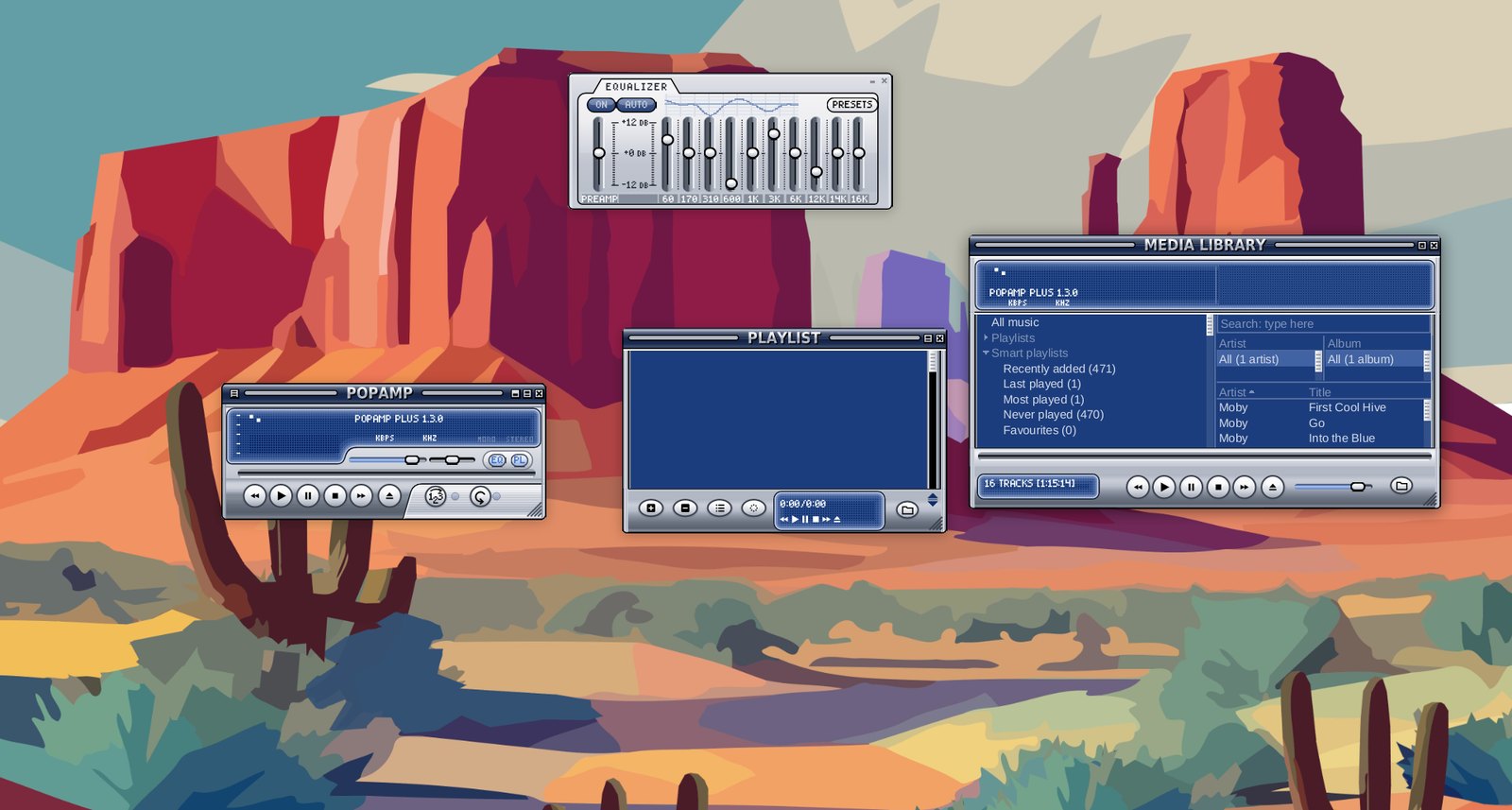
Press Ctrl+Shift+Right, or choose Arrange windows in the main menu. The main window goes into the top right corner of its screen, below any panel. The equalizer goes under it, and the playlist under that, as wide as the main window and down to the bottom of the screen. The media library takes the rest: it starts level with the main window's top and reaches the left edge and the bottom.
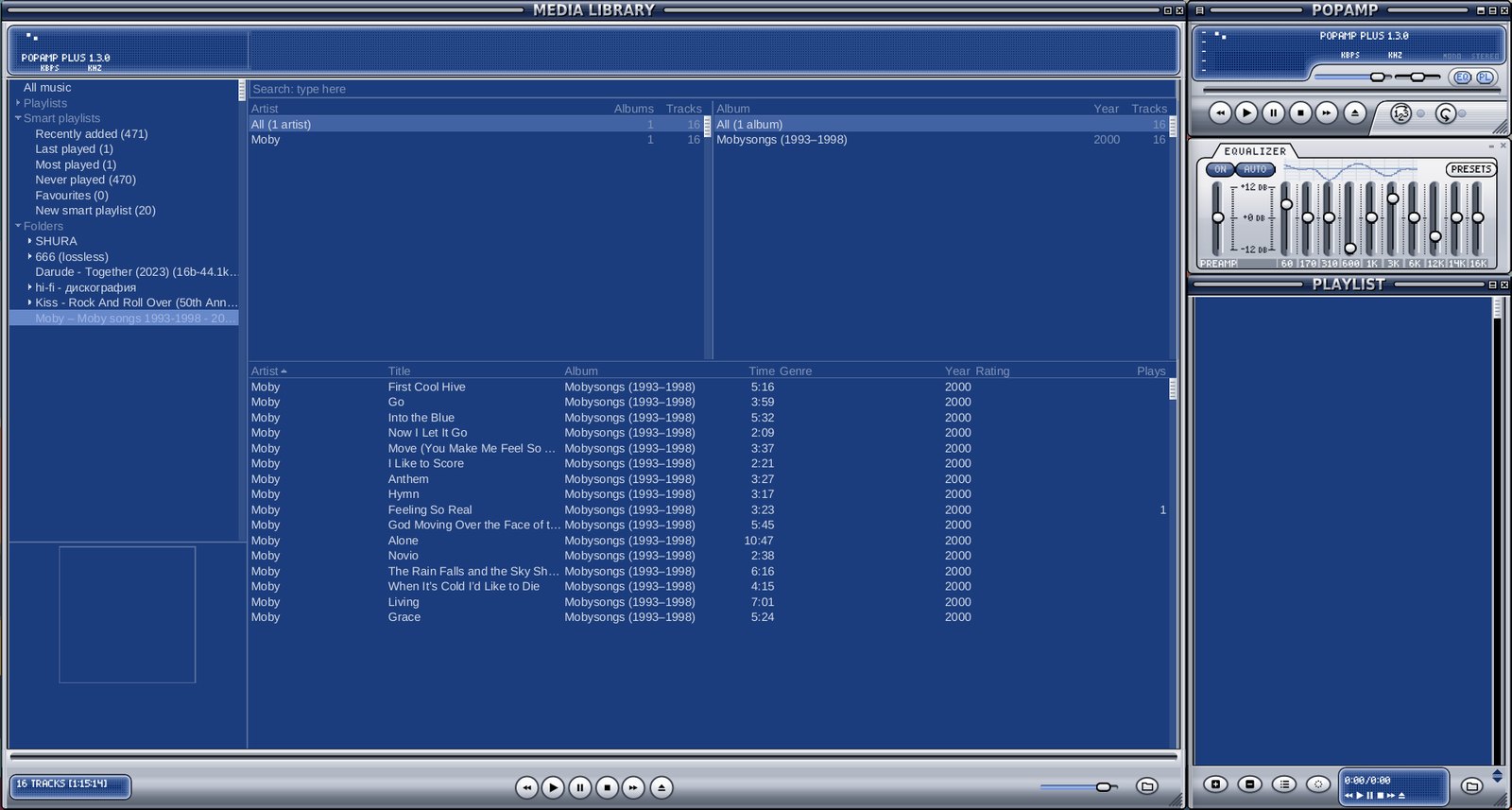
Ctrl+Shift+Right: the player in a column on the right, the library across the rest.Ctrl+Shift+Left lays the windows out the same way from the top left corner, with the library on the right.
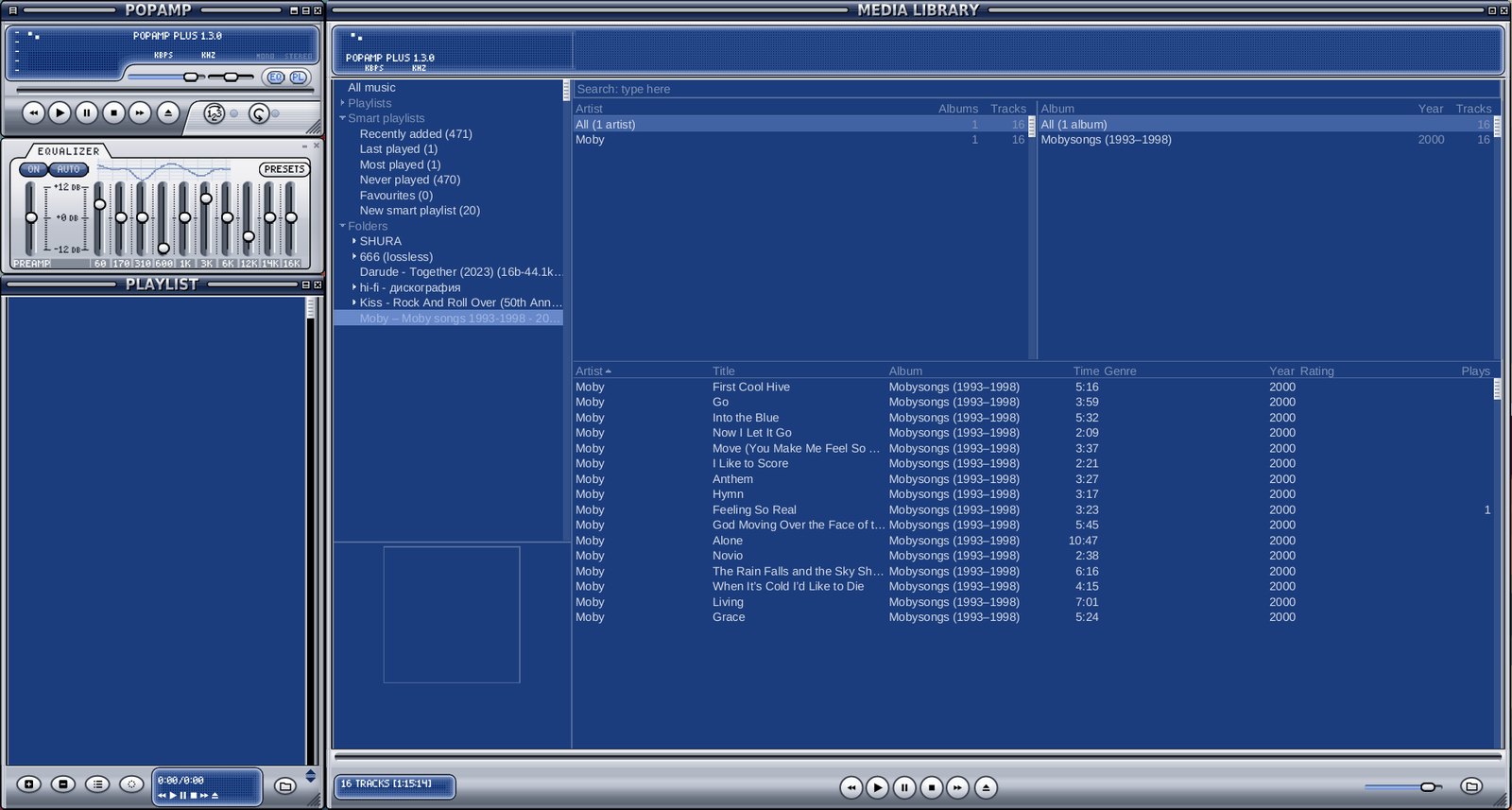
Ctrl+Shift+Left: the same layout, mirrored.Only the windows that are open take part. If the equalizer is closed, the playlist moves up under the main window. A maximized library goes back to its normal size so that it fits beside the player. Under Wayland, Popamp cannot move the main window, so it stays where it is and the other windows are arranged around it.
Windows that reach the edges
- Down to the bottom. The playlist and the library grow in steps, and the last step that fit used to leave a gap above the bottom of the screen. If you drag either window down past that step, it now ends right at the bottom edge.
- Larger Size stays on screen. Double Size is now called Larger Size (
Ctrl+D), because it switches to whatever size you chose under Options › Size, not always 2x. Windows docked against the right edge used to grow off the screen. Now they move back left, and a playlist that would go past the bottom is cut at the bottom edge. - Desktop scale changes. If you change the desktop's scale while Popamp runs, its windows keep their size on X11 and Windows instead of being drawn cut off. If the docked windows drift apart afterwards, the arrange shortcut puts them back together.
Popamp in your language
Menus, windows and messages now come in Czech, Dutch, French, German, Greek, Italian, Polish, Portuguese (Brazil), Russian, Spanish, Ukrainian, Korean and Simplified Chinese, as well as English. Popamp follows your system's language. To pick another, go to Preferences › Desktop. The desktop entry and the software centre description are translated too, and the Windows installer speaks the languages Inno Setup comes with.
All the translations except Russian were made with AI. If something reads oddly in your language, please tell us on GitHub. Each language is a single text file with the English above each line, so a fix is easy to send as a pull request.
Fixes
- CUE sheets with gaps appended to the previous track. Some sheets made by EAC put each track's file after its TRACK line. With those, every track played the file before its own. Each track now plays from its own file (issue #74). If your library already read such a sheet, run Rescan folders once to fix it.
- Rescan folders reads every file again. Before, it skipped files whose size and date had not changed, so a tag edit or a fix in Popamp did not show. The automatic scans, at startup and every few minutes, still skip unchanged files to keep the disk quiet.
- Smaller things. The library's Folders branch shows up before you add a folder. Skin browser… is now only in the Skins menu, not in Options too.
Get it
Popamp 1.3 is on the install page for Linux and Windows, and in the apt repository. If you use the apt repository, the update comes with your system's other updates. The macOS disk image of 1.3 is not built yet; until it is, the install page offers 1.2 for the Mac.
Popamp contains no Winamp code or artwork, and it is not affiliated with Winamp.